53 free desktop pets for Codex
Find and install your Codex pet.
Browse 53 public pets, open a prepared Codex task, or build your own from the V1 starter.
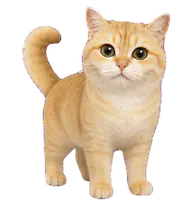

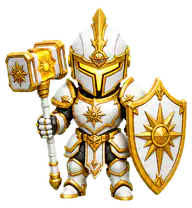
How to get a desktop pet in Codex
The website prepares the command. Codex or your trusted terminal performs the installation only after you review it.
- 1
Choose a published slug
Search the gallery by name, author, format, or style. Selecting a card updates the exact package slug in the install panel.
- 2
Open the prepared task
Install in Codex uses a codex:// link containing npx codex-pets add and the selected slug. Nothing runs in the page background.
- 3
Review before approval
Read the command and package details. If the custom link does not open, copy the same CLI command into a trusted terminal.
Browse all 53 Codex pets
Filter public V1 and V2 listings by name, creator, style, or format. Every card uses a real published slug and opens the same prepared installation flow.
Showing 18 of 53 matches from 53 public pet listings.
Pet names, artwork, and character rights remain with their creators and respective owners. Preview copies are shown for package discovery. Open the linked package details for source context and current attribution.
How to make your own Codex pet
Start with the documented V1 package. It is still supported, uses one fixed sprite grid, and avoids guessing about the newer direction format.
Download the V1 starter
The ZIP contains a valid manifest, a transparent 1536 x 1872 WebP sheet, the nine animation rows, and publishing instructions.
Download starter ZIPThe blank sheet is a template, not a finished pet. Replace it with artwork you created or have permission to distribute.
- 1
Draw on a transparent grid
Keep every frame inside a 192 x 208 pixel cell. The full sheet is eight columns wide and nine rows tall. Keep the pet centered so movement does not jump between frames.
- 2
Place the nine animation rows
Row order is part of the format. Put unused cells after the stated frame count on a transparent background.
- 3
Edit pet.json
Use a lowercase id with letters, numbers, and hyphens. Keep the filename and spritesheet path unchanged. Valid kinds are object, animal, person, and creature.
- 4
Validate, publish, and install
Sign in to the public upload flow, choose pet.json and spritesheet.webp, then fix every validation error. After a slug is published, install it with npx codex-pets add followed by that slug.
Open the package validator
Sprite row map
Row 0
Idle
6 frames
Row 1
Run right
8 frames
Row 2
Run left
8 frames
Row 3
Wave
4 frames
Row 4
Jump
5 frames
Row 5
Failed
8 frames
Row 6
Waiting
6 frames
Row 7
Running
6 frames
Row 8
Review
6 frames
Manifest template
{
  "id": "my-codex-pet",
  "displayName": "My Codex Pet",
  "description": "A custom companion for my Codex desktop.",
  "spritesheetPath": "spritesheet.webp",
  "kind": "creature"
}The public validator checks the manifest schema, allowed kind, filenames, WebP format, and exact sprite dimensions.
Choose V2 to install. Use V1 to learn the format.
V2 gallery pets
Most gallery choices use V2. Pick one when your goal is to install a published companion quickly. Always review the selected slug and its package details before approving the prepared command.
V1 starter packages
V1 uses the fixed 1536 × 1872 sprite sheet documented above. It is the clearer starting point for learning cell sizes, animation row order, manifest fields, validation, and the publishing workflow without guessing at newer directions.
What is a Codex desktop pet?
A desktop pet is a small animated or illustrated companion that stays near your work instead of taking over the whole screen. Codex Pets packages that companion under a short install slug, with visual states for idle, movement, waiting, review, and other actions.
A pet changes atmosphere, not the quality of generated code. Pick artwork that stays readable at a small size, does not hide controls, and comes from a package you have reviewed.
Codex pet ideas seen on X
Public experiments show the idea moving beyond one gallery: pets appear beside coding sessions, inside custom pet collections, and even on a watch-sized screen. These images are references to the linked public posts, not downloadable packs hosted by this site.
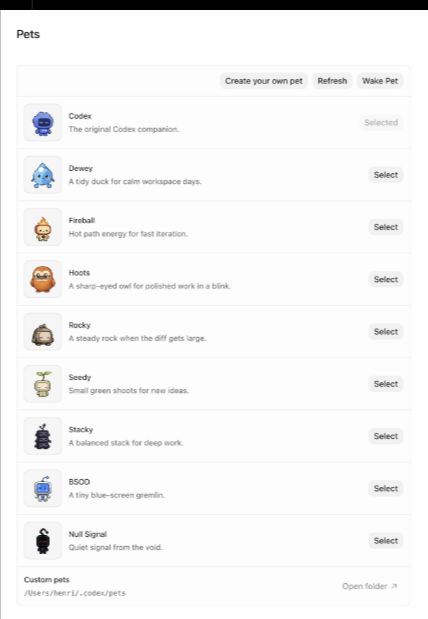
Codex pets in a real workflow
Posted by @henricreates
View post on X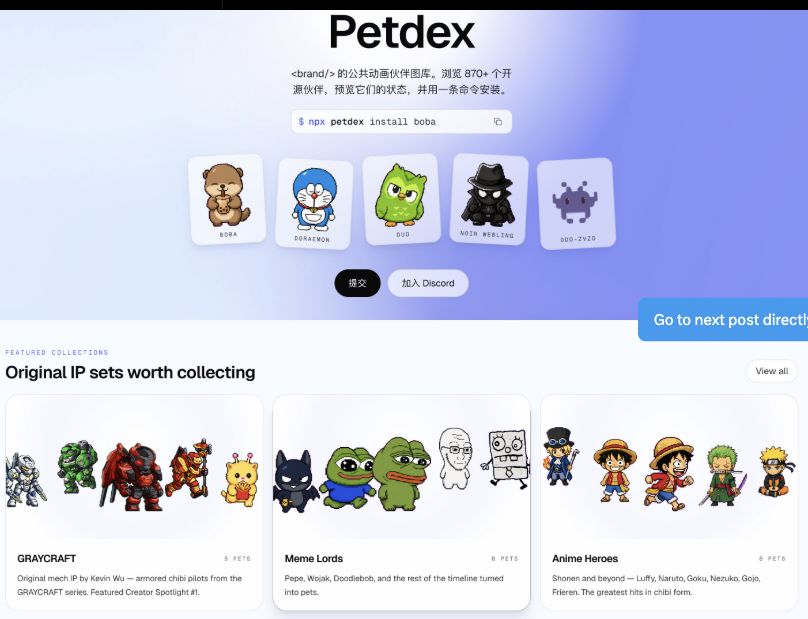
A Petdex-style experiment
Posted by @xiaohu
View post on X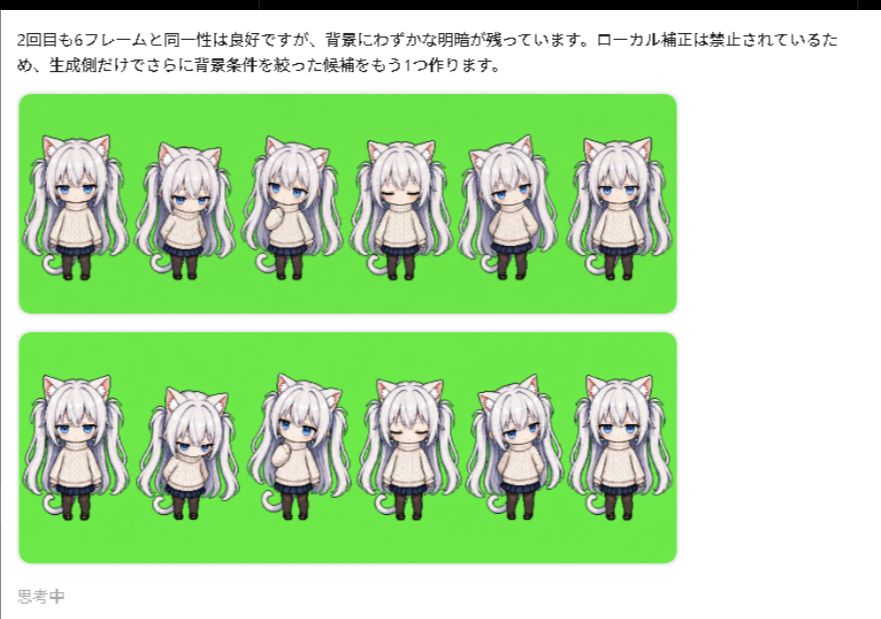
A custom Codex companion
Posted by @ji10me
View post on X
A community pet hub
Posted by @ikSkpcotion
View post on X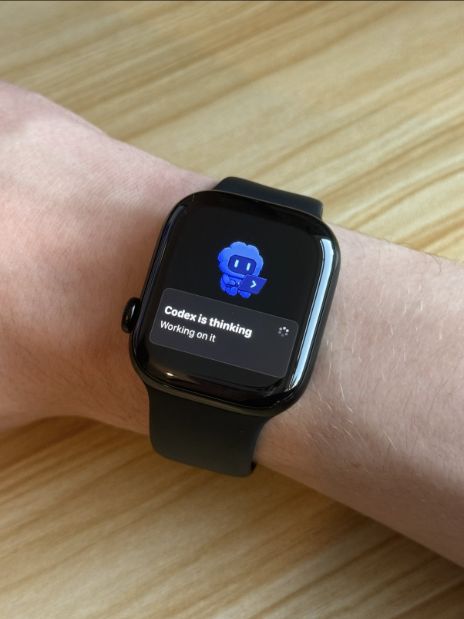
Codex pets on Apple Watch
Posted by @b_nnett
View post on XScreenshots are shown for commentary and discovery. Rights remain with the original creators and platform users. Follow the linked post for the source context.
Are desktop pets safe?
Treat every desktop pet as software plus visual assets. A cute preview is not a security review, so the command and package still deserve the same attention as any developer tool.
Read the exact npx command and selected slug before approval.
Use a current Node.js and npm setup from sources you trust.
Do not paste API keys, session tokens, or private project files into an install prompt.
Open the original pet listing when you need current package details or creator attribution.
Remove or replace a pet if it causes unexpected behavior, resource use, or visual obstruction.
Codex Pets FAQ
Direct answers about installation, free desktop pets, safety, and what happens when you select the one-click link.
What are Codex Pets?
Codex Pets are small visual companions made to appear inside the Codex desktop experience. Each public listing has a creator, preview, format, and install slug. This page curates 53 public listings and prepares the published npx install command for the pet you choose.
How do I get a desktop pet in Codex?
Choose a pet in the gallery and select Install in Codex. The link opens a new Codex task containing the command npx codex-pets add followed by the selected slug. Review the task and command before allowing Codex to run it. If the custom link does not open, copy the Terminal fallback instead.
Are these free desktop pets?
The listed pets use the public Codex Pets installation flow and do not show a purchase price. Individual character, artwork, and brand rights still belong to their respective owners. Free access to an install package does not grant commercial reuse or redistribution rights.
Are desktop pets safe?
A desktop pet is code and assets installed on your computer, so review the package source, command, and permissions before running it. Use a current Node.js and npm environment, avoid commands copied from unknown replies, and remove a pet if its behavior or resource use is unexpected.
Do I need to upload an image or create an account?
No. This curated gallery does not accept uploads and does not require an account. Selecting a pet only changes the prepared install link and CLI command in your browser. Installation happens after you open Codex or run the command locally.
How do I make my own Codex pet?
Use the V1 starter on this page. Replace the transparent 1536 x 1872 WebP sheet with nine rows of animation frames, edit pet.json, then use the public signed-in upload flow to validate and publish the package. V1 remains supported and has a fixed 8-column by 9-row format.